










Enhancing Cyber Defenses: A Comprehensive Guide to Dynamic Application Security Testing (DAST)
DAST is a security test that scans a running application from the outside, mimicking a hacker to find runtime vulnerabilities like SQL Injection and Cross-Site Scripting.

Apps are super important for businesses today, but they're also a big way attackers can get in. Because cyber threats are getting smarter, old-school security isn't enough anymore. Dynamic Application Security Testing (DAST) is now key to finding security problems in apps that are up and running. It acts like a real attacker to help keep a company's important stuff safe.
How DAST Works
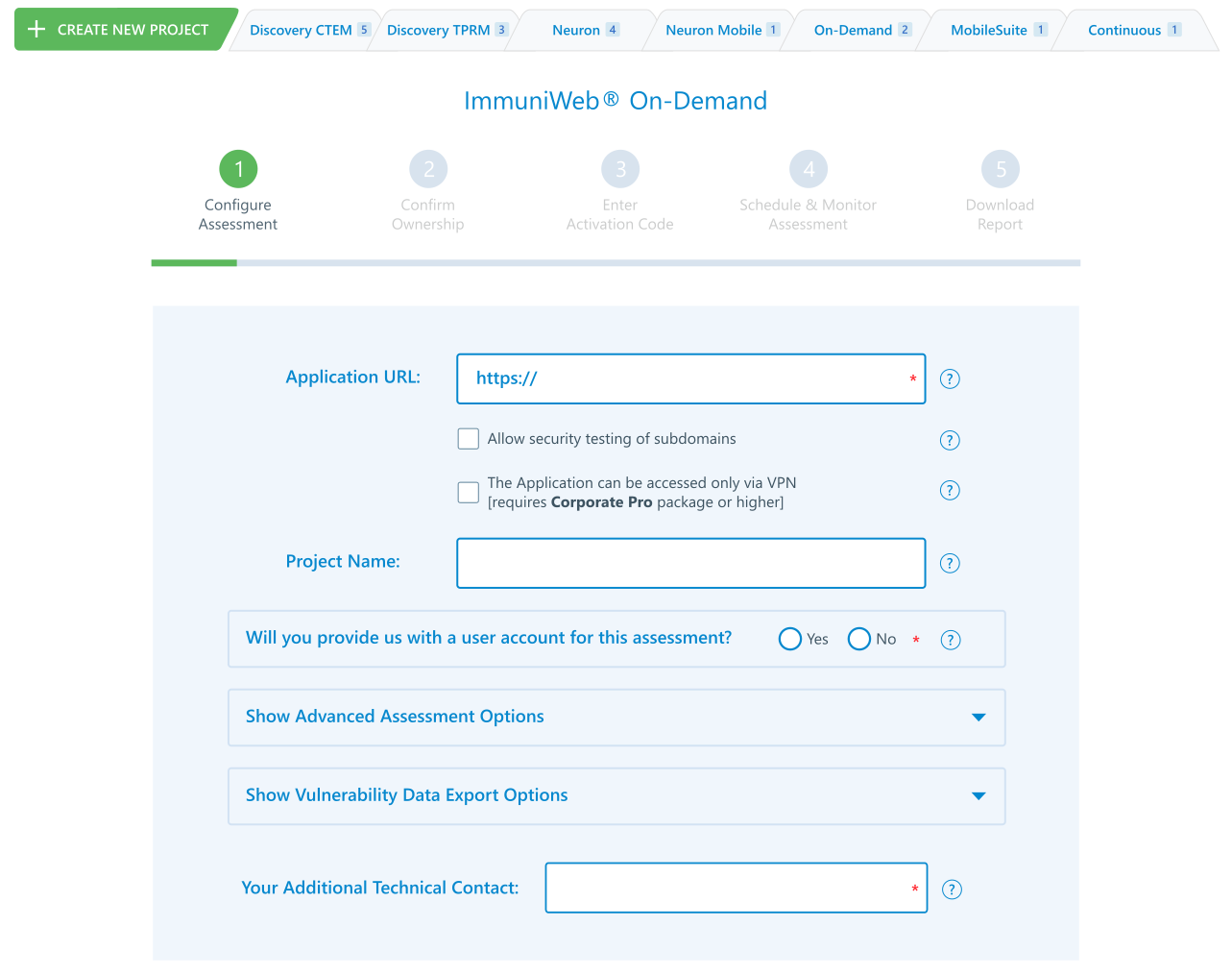
Dynamic Application Security Testing (DAST) is a way to test security by looking at apps from the outside while they're running. Unlike methods that need access to the code, DAST works with an app like a hacker would, using its front-end. First, the DAST scanner gets the web app's URL or the location of the mobile app. Then, it starts a bunch of automatic attacks to find any security problems.
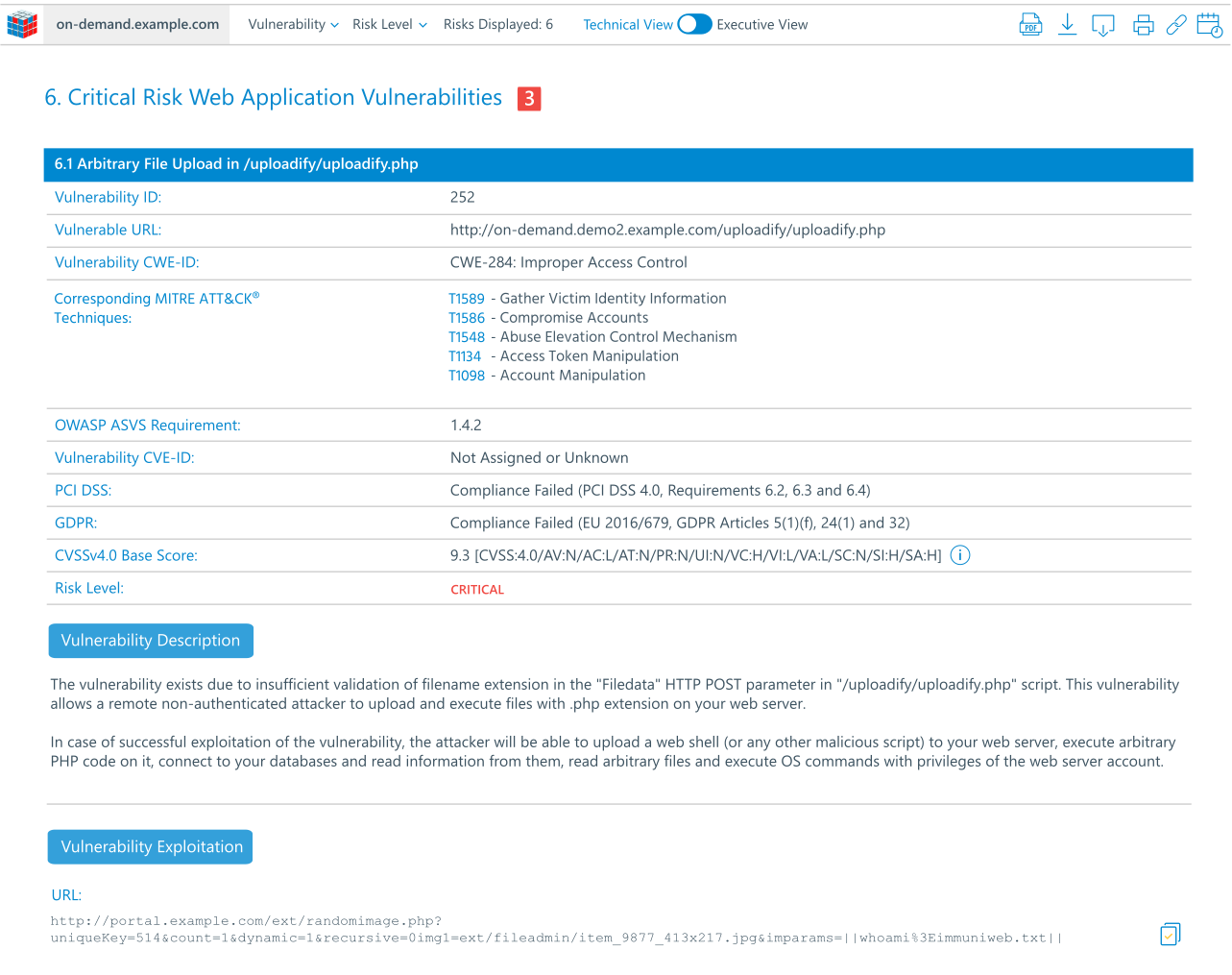
The scanner goes through the whole app to map its structure and finds all the entry points, forms, and features, which helps to see where attacks could happen. After that, the DAST tool sends a series of controlled, simulated attacks. It puts bad data into every spot it can find, checks for bad server settings, messes with HTTP requests, and tries to take advantage of common web problems. Then, the tool watches how the app reacts.
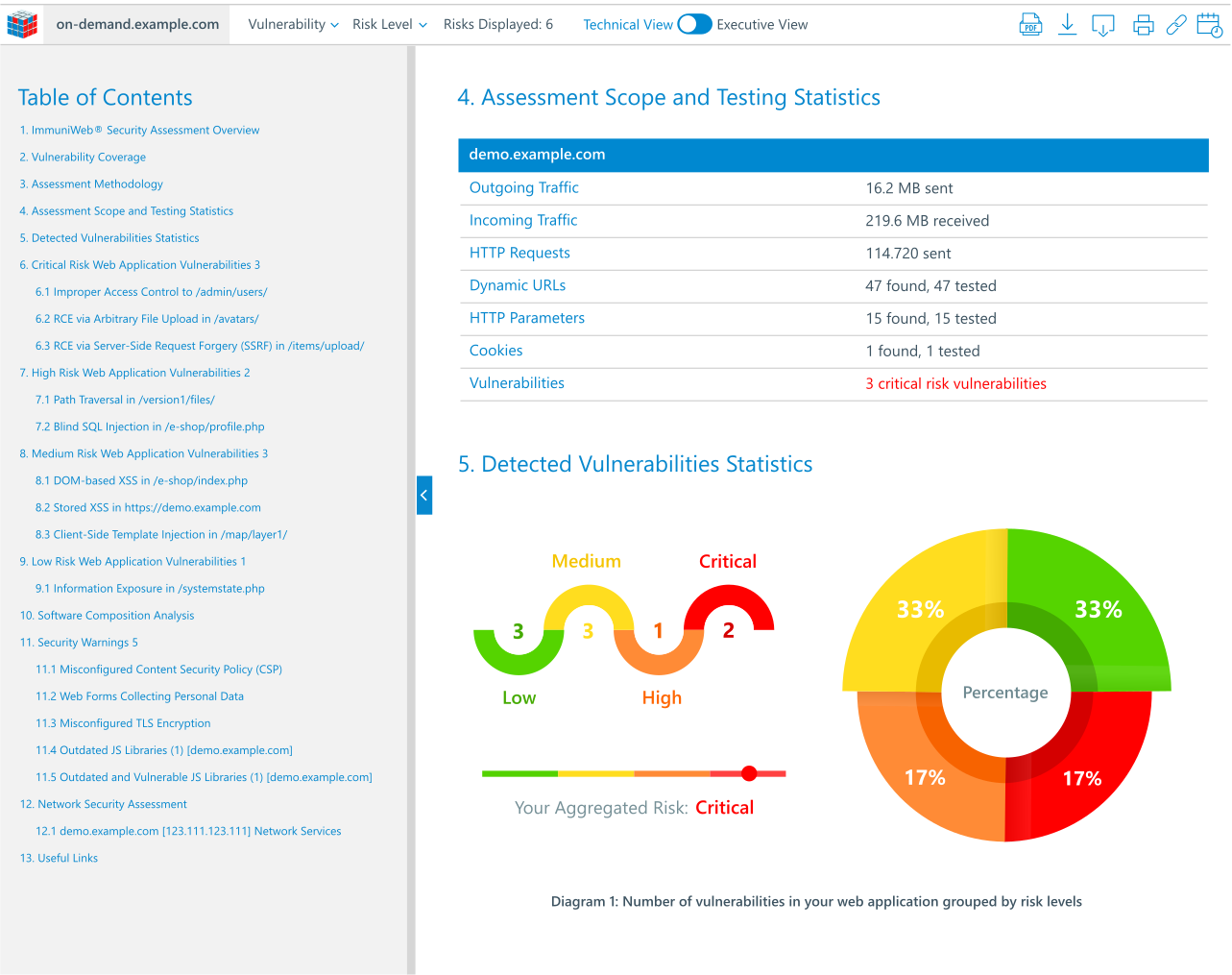
If anything weird happens, like an error message that shows sensitive info, a successful SQL injection, or a cross-site scripting (XSS) pop-up, it's marked as a possible problem. The last important part is the report, which lists the problems by how serious they are (like Critical, High, or Medium). It gives proof that the attack works and usually ways to fix it, so developers can focus on the most important stuff first.
What Are the Key Characteristics of DAST?
DAST has some basic things that make it different from other security tests. The main thing is that it tests while the app is running. It can find problems that only show up when the app is live, like issues with settings, usernames and passwords, session handling, and outside pieces. This gives a real idea of how safe the app is when it's being used.
Another thing is that it doesn't care what language or system the app is using, such as Java, .NET, Python, or Node.js. It talks to the app using normal web requests, so it works on many different systems. This is good for today’s setups where different parts might use different languages.
DAST is also good at finding flaws in how the app works and problems with the setup. Static analysis might miss issues that come from how different parts of the system work together. DAST tests the whole system, so it can find things like payment problems, ways to get more permissions than you should, or bad settings in the web server that you only see when the app is running. Also, DAST doesn't need the source code. This makes it helpful for security teams who work separately from the developers, and for testing apps from other companies where you can't see the code.
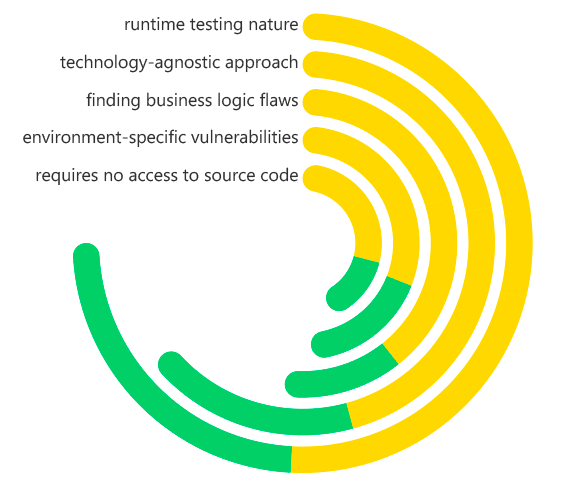
Dynamic Application Security Testing (DAST) Key Characteristics
What Problems Does DAST Solve?
DAST fills a key need in application security by looking at the application as it runs. It mainly fixes the problem of unknown knowns—weak spots in the live application that weren't expected during design and coding. Usually, these come from how the application code, server, database, and other services interact.
Companies that use many third-party and open-source parts have a big issue: they can't check code they didn't write using static analysis. DAST fixes this by testing the complete application, so any weaknesses from external libraries are found before they can be taken advantage of. This is key for keeping things safe, as open-source code can make up to 90% of an application today.
DAST also handles problems with how things are set up and deployed. An application might have secure code, but a poorly configured web server or default admin logins can cause big security problems. DAST checks for these issues other tools miss. In the end, it gives an outside view of the application, like an attacker would see it. This helps confirm that security measures like Web Application Firewalls (WAFs) work and that security is practical.
Benefits of DAST
Putting Dynamic Application Security Testing (DAST) into a secure development lifecycle (SDLC) is worth it. The best thing is that it spots important vulnerabilities that show up when an app is running. DAST can find big problems like SQL Injection and Cross-Site Scripting (XSS) while the app is live. This helps stop data leaks and keeps the app from crashing, which could save a lot of money and keep the company's image clean.
Another good thing is that it cuts down on fake alarms. No tool is perfect, but DAST tools are now pretty good at knowing when someone has really found a hole in the app versus when the app is just working normally. This saves time for the people making and securing the app, so they can fix real problems instead of chasing things that aren't there. This makes things run smoother.
DAST also helps meet the rules. Many standards and rules, like PCI DSS, say you have to test your apps regularly. By using DAST in the CI/CD process, you automatically create proof that you're following the rules. This shows that you're serious about security. In the end, DAST helps everyone care more about security and makes sure the apps can stand up to real attacks.
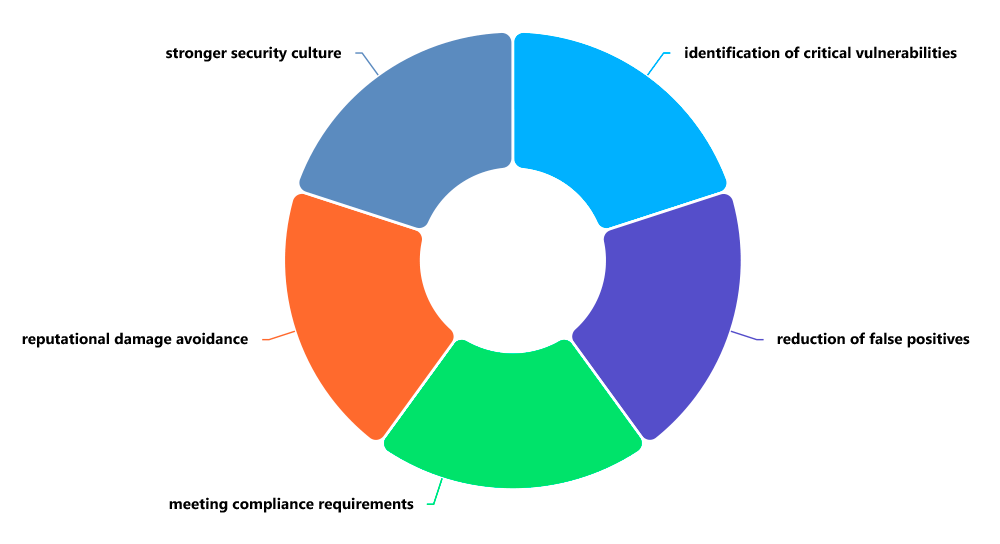
Dynamic Application Security Testing (DAST) Benefits
How Are DAST and SAST Different?
DAST and SAST are key parts of keeping applications secure, but they work in different ways and work best together. The main split is how they work: SAST checks the application inside and out by looking at its code before it's put together. On the other hand, DAST tests the application from the outside while it's up and running.
This difference leads to some practical differences. SAST can be done early on, often right in the programmer's workspace, giving quick feedback on code problems. DAST needs a working application, usually in a test area, so it's done later. SAST is good at finding coding mistakes like buffer problems, syntax errors, and risky function calls, but it can miss problems that happen when the application is running. DAST is great at finding those issues that SAST misses, spotting problems that only show up when an application is live.
SAST might flag more false alarms because it can't always track how data moves through a full, running system. DAST usually gives fewer, but more useful, results by verifying weaknesses through real attacks. These tools don't fight each other; they help each other. A good AppSec plan uses SAST to find bugs in the code and DAST to check the security of the complete application, making sure everything is covered during development.
Why Is DAST Vital to Application Security?
DAST is super important. It's the last line of defense before your app goes live. Think of it as a security checkpoint, like a hacker trying to break in. It answers the big question: Can someone hack this? No matter how much you analyze code, you can't beat seeing how an app holds up when it's under attack.
In today's fast-paced world of DevSecOps, security can't slow things down. DAST helps by automating security testing. It scans apps constantly as they're updated. This shift-left idea means testing is part of the process from the start. This way, security is built-in, not added later. Developers get quick feedback and can fix problems before they cause trouble after the app is released.
Since threats are always getting more automated and complex, defenses need to keep up. DAST tools get regular updates with tests for the newest attacks, like those in the OWASP Top 10. When companies use DAST, they're not just following rules. They're actively working to strengthen their apps which builds trust with customers and protects their reputation in a risky online world.
Real-World Examples of How DAST Is Used
Here are real-world examples of how DAST is used to find critical security vulnerabilities, moving from simple to more complex scenarios.
Example 1: The E-Commerce Checkout (SQL Injection)
- The App: An online store with a product search feature and a user login.
- The DAST Test: The DAST scanner crawls the site and finds a search box. It inputs a classic SQL injection payload like: ' OR 1=1--
- What Happens: Instead of returning a single product, the application's database interprets this payload as a command. It dumps the entire list of products, including unreleased or discontinued items. In a more severe case, the scanner might successfully extract the entire user database, including usernames and hashed passwords.
- The Finding: The DAST report flags a Critical SQL Injection Vulnerability in the search parameter, providing the exact payload used and the HTTP request/response that led to the data exposure.
Example 2: The Blog Comment Section (Cross-Site Scripting - XSS)
- The App: A corporate blog that allows users to post comments.
- The DAST Test: The scanner finds the comment form and submits a simple script tag: <script>alert('XSS')</script>
- What Happens: Later, when an administrator logs in to review comments, the script executes in their browser, popping up an alert box. While this is a harmless proof-of-concept, a real attacker would use a similar vulnerability to steal the admin's session cookie, allowing them to hijack the account and take over the website.
- The Finding: The DAST report identifies a Stored Cross-Site Scripting (XSS) Vulnerability, noting that malicious input is stored by the application and executed by other users.
Example 3: The Bank's User Portal (Broken Access Control)
- The App: A banking application where users can view their account statements.
- The DAST Test: The scanner logs in as a regular user, johndoe, and navigates to his account page at /account/12345/statement. The DAST tool then uses its fuzzing engine to test for Insecure Direct Object References (IDOR) by changing the URL to /account/12346/statement.
- What Happens: The application serves up the account statement for a different user, janedoe, without asking for re-authentication or checking permissions. The scanner has successfully discovered a massive data privacy breach.
- The Finding: The report highlights a Critical Broken Access Control vulnerability, demonstrating how one user can directly access another user's sensitive financial records.
Example 4: The Corporate Website (Server Misconfiguration)
- The App: A company's main marketing website.
- The DAST Test: The scanner probes the web server for common misconfigurations and outdated components. It sends a request to a known path like /server-status or checks the HTTP headers for the server version.
- What Happens: The server responds with a detailed status page containing internal metrics and information about recent requests. The HTTP headers also reveal the exact version of Apache or Nginx being used, which is known to have several public exploits.
- The Finding: The DAST report flags a Medium Severity Information Disclosure vulnerability (server-status page) and a High Severity vulnerability related to an outdated web server version with known CVEs (Common Vulnerabilities and Exposures).
In all these cases, the common thread is that DAST found these flaws without any knowledge of the underlying source code, simply by interacting with the application like a real attacker would.
How ImmuniWeb Helps with DAST
ImmuniWeb provides a robust and intelligent DAST solution that goes beyond traditional vulnerability scanning to deliver deep, accurate, and actionable security insights. Built on a foundation of artificial intelligence and machine learning, ImmuniWeb’s DAST is designed to minimize false positives and maximize the detection of complex, business-critical vulnerabilities that other scanners might miss. Its advanced crawling and attack simulation engines can handle even the most complex modern web applications, including those heavy with JavaScript (AJAX) and single-page applications (SPAs).
A key differentiator for ImmuniWeb is its ability to perform controlled and safe penetration testing. The platform doesn't just identify vulnerabilities; it safely and non-disruptively exploits them to confirm their severity and provide a clear proof-of-concept. This gives security teams undeniable evidence of the risk, streamlining the prioritization and remediation process. Furthermore, ImmuniWeb integrates DAST with other testing methodologies, offering a holistic view of application security that includes configuration checks and compliance monitoring.
ImmuniWeb also addresses the critical need for efficiency and integration within modern development pipelines. Its platform offers detailed, developer-friendly reports that not only highlight the vulnerability but also provide tailored remediation guidance, helping to bridge the gap between security and development teams. By offering a scalable, accurate, and intelligent DAST solution, ImmuniWeb empowers organizations to continuously monitor their attack surface, validate their security controls, and ensure that their applications are resilient against the evolving tactics of cyber adversaries, making it an invaluable partner in any comprehensive application security program.
Disclaimer
The above-mentioned text does not constitute legal or investment advice and is provided “as is” without any warranty of any kind. We recommend talking to ImmuniWeb experts to get a better understanding of the subject matter.


















 API Penetration
 API Security
 Application Penetration
 Application Security
 Attack Surface
 Automated Penetration
 Cloud Penetration
 Cloud Security
 Continuous Automated
 Continuous Breach and
 Continuous Penetration
 Continuous Threat
 Cyber Threat
 Data Security Posture
 Dark Web
 Mobile Penetration
 Mobile Security
 Network Security
 Penetration
 Phishing Websites
 Third-Party Risk
 Threat-Led
 Web Penetration
 Web Security